
RupiManager2.23.737 - Google Play
You'll be able to see results in few seconds.
Publisher Description
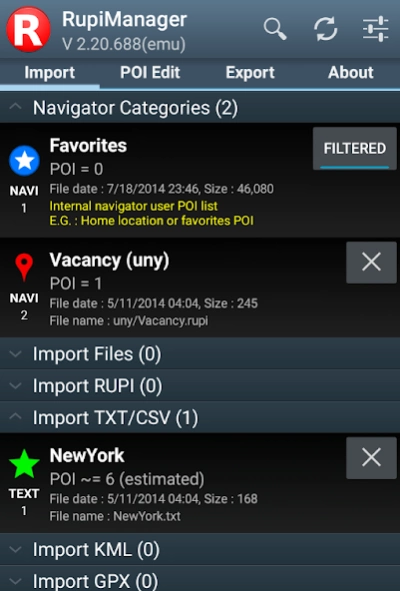
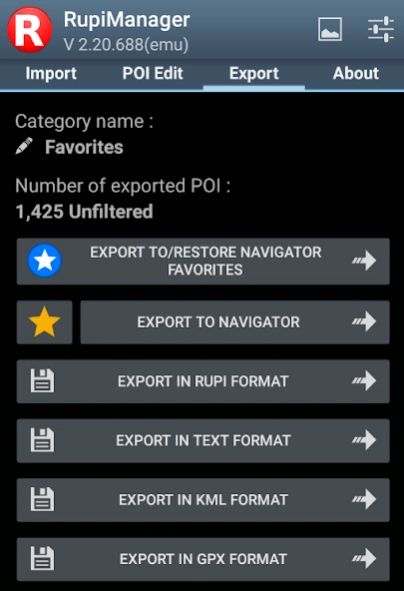
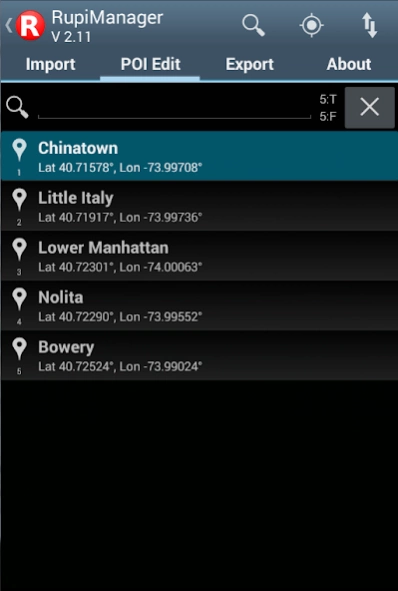
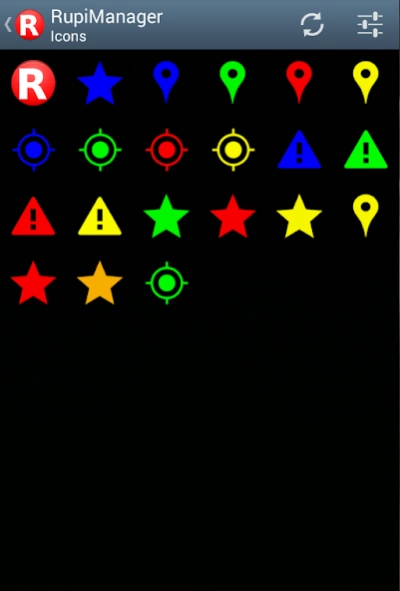
Sygic POI manager:import,edit,export your favorites POI in CSV KML GPX TEXT OV2
RupiManager for Sygic™ GPS Navigator is designed to help managing, importing and exporting your favorites POI - PDI locations (Points of Interest).
Edit, import, export, convert your navigator favorites POI lists & categories is no more a pain.
There are no other apps that made Sygic™ import POI on the fly nor
export favorites POI
.
With Rupi Manager you can import POI from TXT CSV KML GPX OV2 sources,
made a POI backup, import / export from another navigator program,
and
edit POI on Google Maps™
.
Also import / export your POI from GPX files for Garmin™ POI Loader or from OV2 TomTom™ files.
With KML support you can transfer you POI from / to Google Earth™
RupiManager works with latest Sygic™ navigator GPS app
________________________________________
LATEST FEATURES / IMPROVEMENTS
•
Fixed for Marshmallow - Android 6
• Favorites POI import / export : changes are immediately reflected to navigator app without any restarts.
• Sends a POI directly to navigator for 'View' or 'Drive To'
• Lollipop (Android 5)
EXTERNAL SDCARD
support
• Localization : Deutsche, English, Español, Français, Italiano, Slovenský
• Improved KML import routine
• Sygic™ import GPX CSV TXT ASC KML OV2
• Sygic™ export GPX CSV TXT ASC KML OV2
________________________________________
MAIN FEATURES
• Import Favorites POI, import GPX, import KML, import OV2, import CSV TXT ASC
• Export Favorites POI, export KML, export GPX, export OV2, export CSV TXT ASC
• Edit & review your POI on Google Maps™
• Google Maps™ Traffic display available, other map options available
• Send immediately a POI to Sygic™ for 'Drive To' or 'View'
• Full international charset support
• Can handle up to 150.000 POI
• User privacy aware : no user tracking, no background processes, no permissions requested to access to user data.
________________________________________
LINK TO SYGIC™ NAVIGATOR
Rupi Manager automatically scans your device searching for Sygic™ GPS navigator installation.
You can select manually the installation folder too.
More information at http://sites.google.com/site/rupimanager
________________________________________
TEXT ASC CSV IMPORT FORMAT
Please read http://sites.google.com/site/rupimanager for detailed explanation.
Example of txt import file :
-74.00063|40.72301|Lower Manhattan|extra field 1
-73.99552|40.72290|Nolita|some other info
-73.99024|40.72524|Bowery
________________________________________
KML GPX IMPORT - EXPORT
You can import KML or import GPX or export KML or export GPX files too
•KML tag
Placemark
•GPX tag
wpt
________________________________________
TRY NOW THE FREE VERSION!
You can try the free version before buy RupiManager.
http://play.google.com/store/apps/details?id=com.gmail.rupimanager.rupimanager.demo
Install and try RupiManager app. Do it, now !
_________________________________________
SUPPORT
Read full specifications & help at http://sites.google.com/site/rupimanager
Please send comments and requests to rupimanager@gmail.com
Thank you.
Sygic™, Garmin™, TomTom™, Google™, Google Maps™, Google Earth™ are registered trademarks of their owners
RupiManager is not affiliated with Sygic™ nor with other brands mentioned above
About RupiManager
The company that develops RupiManager is Rupi Manager. The latest version released by its developer is 2.23.737.
To install RupiManager on your Android device, just click the green Continue To App button above to start the installation process. The app is listed on our website since 2017-04-24 and was downloaded 0 times. We have already checked if the download link is safe, however for your own protection we recommend that you scan the downloaded app with your antivirus. Your antivirus may detect the RupiManager as malware as malware if the download link to com.gmail.rupimanager.rupimanager is broken.
How to install RupiManager on your Android device:
- Click on the Continue To App button on our website. This will redirect you to Google Play.
- Once the RupiManager is shown in the Google Play listing of your Android device, you can start its download and installation. Tap on the Install button located below the search bar and to the right of the app icon.
- A pop-up window with the permissions required by RupiManager will be shown. Click on Accept to continue the process.
- RupiManager will be downloaded onto your device, displaying a progress. Once the download completes, the installation will start and you'll get a notification after the installation is finished.
Program Details
System requirements
Download information
Pricing
Version History
version 2.23.737
posted on 2017-04-24
V 2.23.720
- Android 7 compatibility
- Minor fixes and optimizations
________________________________________
V 2.22.720
- Libraries Update (Android Nougat 7.1.1 - api 25)
- Button to launch navigator
- Minor fixes and optimizations
version 2.22.720
posted on 2016-12-05
V 2.22.720,- Libraries Update (Android Nougat 7.1.1 - api 25),- Button to launch navigator,- Minor fixes and optimizations,________________________________________,V 2.21.699,- Fix for Marshmallow,- Minor fixes and optimizations,________________________________________,V 2.20.694,- Improved export to Favorites DB,- UI improvements
Disclaimer
Official Google Play Link
We do not host RupiManager on our servers. We did not scan it for viruses, adware, spyware or other type of malware. This app is hosted by Google and passed their terms and conditions to be listed there. We recommend caution when installing it.
The Google Play link for RupiManager is provided to you by apps112.com without any warranties, representations or guarantees of any kind, so access it at your own risk.
If you have questions regarding this particular app contact the publisher directly. For questions about the functionalities of apps112.com contact us.
